 sem-tn.com – Interviews & Local News Headlines
 sem-tn.com – Interviews & Local News Headlines
To streamline train ticket bookings and enhance access to railway services, Indian Railways, through the Indian Railways Catering and Tourism Corporation (IRCTC), offers an innovative AI chatbot called AskDisha 2.0. This tool empowers users to effortlessly book tickets, track refunds, and access crucial information.
Here's a comprehensive look at this helpful AI chatbot:

AskDisha 2.0, also known as Digital Interaction TO Seek Help Anytime, is an advanced AI and machine learning-driven chatbot developed using CoRover.AI. It is fluent in Hindi, English, and Hinglish, and seamlessly integrates with both the IRCTC mobile app and website.
This handy chatbot simplifies access to key services provided by the train ticket booking platform. With simple commands, users can effortlessly book tickets, check PNR status, cancel tickets, and more.
AskDisha 2.0 also features voice command support, allowing users to interact with the service hands-free.
AskDisha 2.0 supports a variety of services:
AskDisha 2.0 is readily available on both the IRCTC website and mobile app.
On the IRCTC Website:
On the IRCTC Mobile App:
Newer articles
Older articles

 Greg Chappell: Rishabh Pant is 'Reinventing' Cricket with His Unorthodox Style
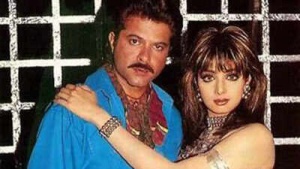 Raveena Tandon Reveals Eerie 'Laadla' Set: Sridevi's Struggle Mirrored Divya Bharti's, Crew Chanted Mantras
 Crawley, Duckett Partnership Hailed by Stokes as Key to England's Thrilling Headingley Test Win
 Shadman Islam Stands By Bangladesh Batters After Day 1 Stumble Against Sri Lanka
 Barcelona's Pursuit of Rafael Leão: AC Milan Set Hefty Price Tag – Transfer News Roundup
 Al Hilal's 2025-26 Payroll Powerhouse: Top Earners' Salaries, Net Worths, and Contract Details Revealed
 Gavaskar Calls for Kuldeep Yadav's Inclusion in Second Test Amid Bumrah Fitness Concerns
 Wimbledon Serves Up India Strategy: Leveraging Cricket to Ace New Markets
 Rishabh Pant's Fearless Batting Sparks Adam Gilchrist Comparisons, Says Greg Chappell
India's Pacer Rana Released Before Second Test Against England in Birmingham
Rishabh Pant's Fearless Batting Sparks Adam Gilchrist Comparisons, Says Greg Chappell
India's Pacer Rana Released Before Second Test Against England in Birmingham